You can remove any tracker at anytime from the settings section in the app.
1. Navigate to your settings by clicking on the person icon in the top left corner (to the left of your name).
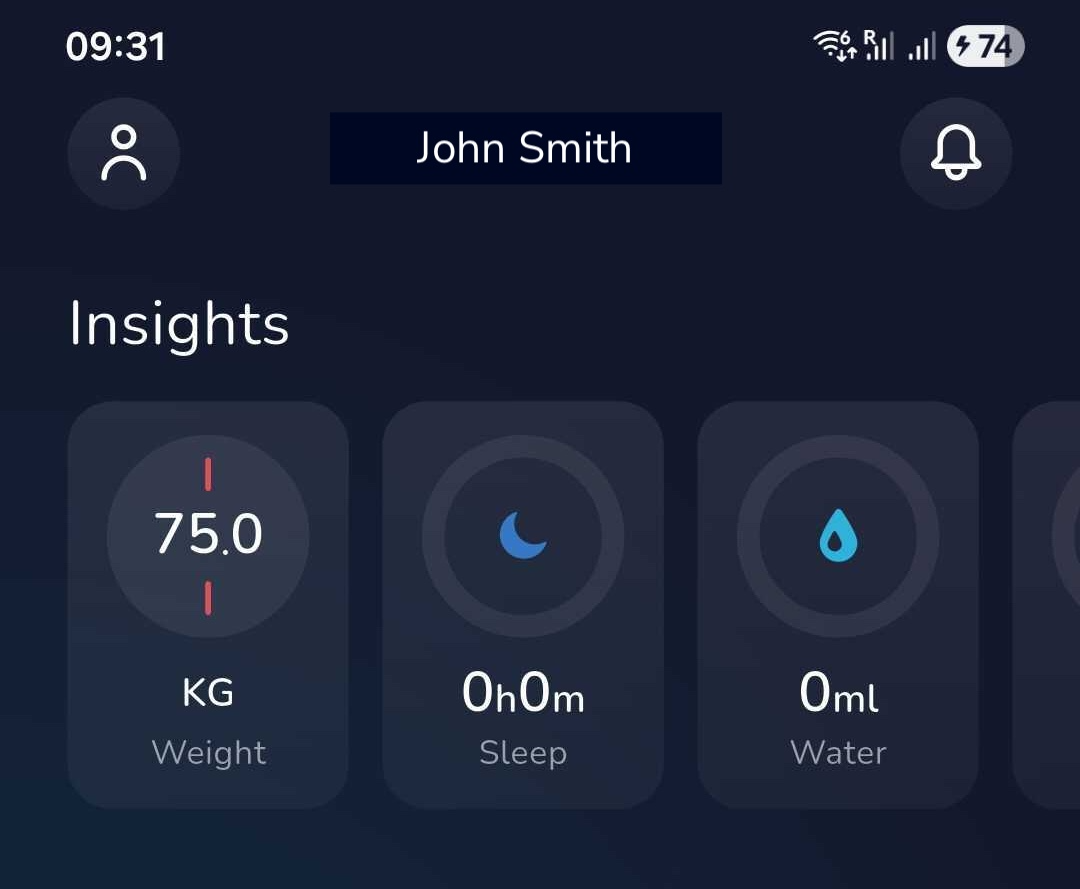
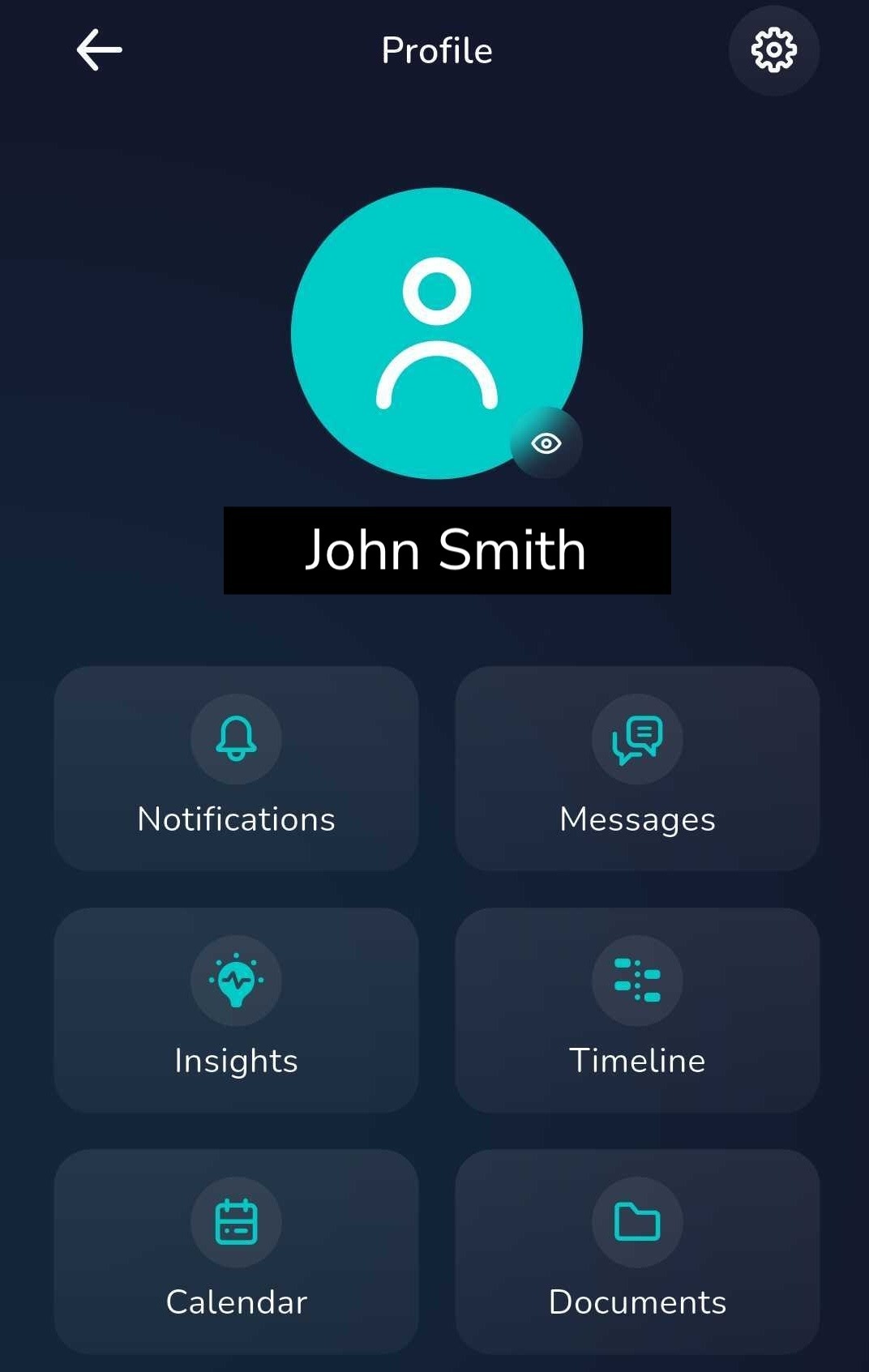
2. Select the cog symbol in the top right corner of the page to view all settings.
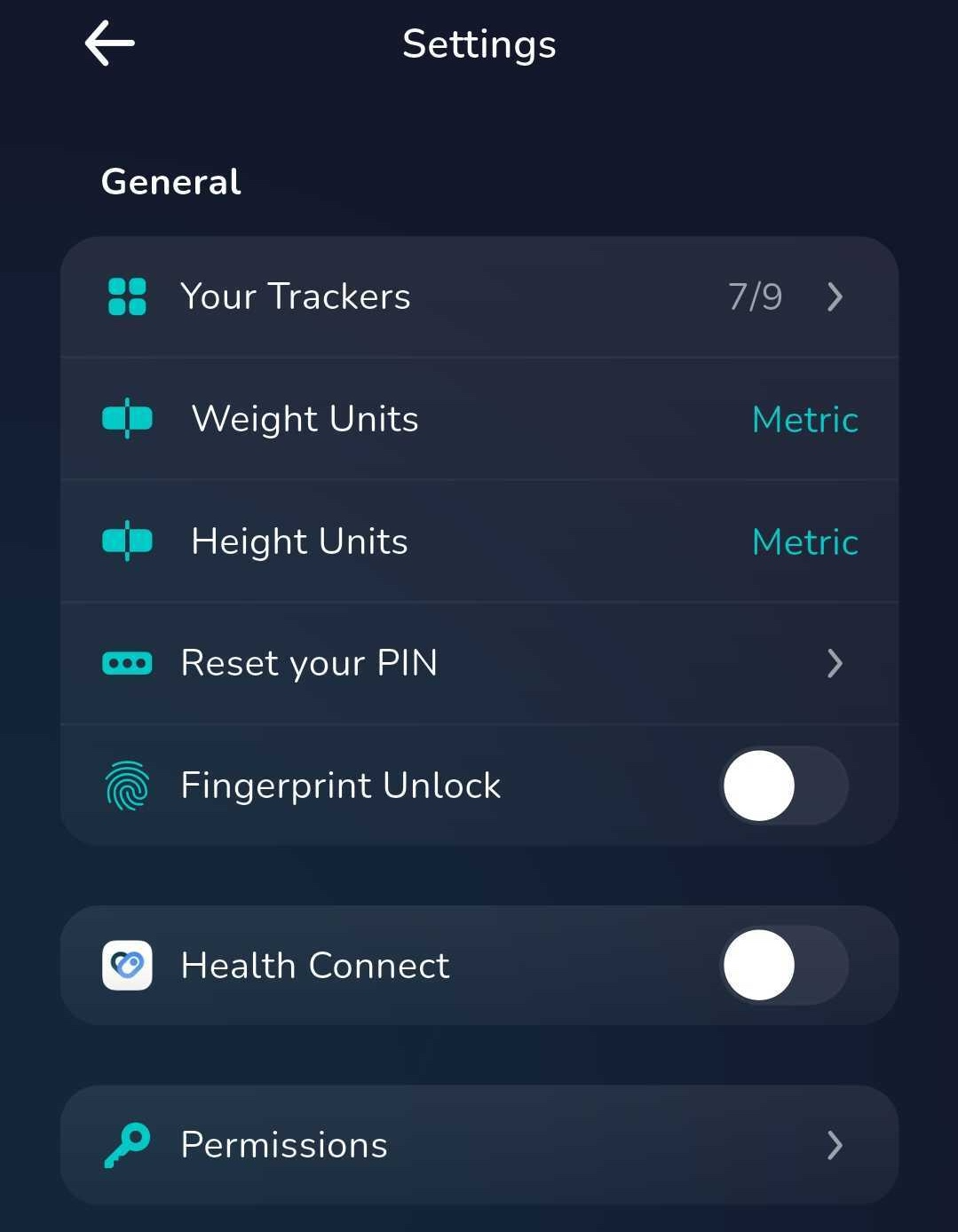
3. To view all trackers click on 'Your Trackers'.
4. If a tracker has the toggle in the on position (blue), this means it is active and can de-activated by clicking on the toggle.
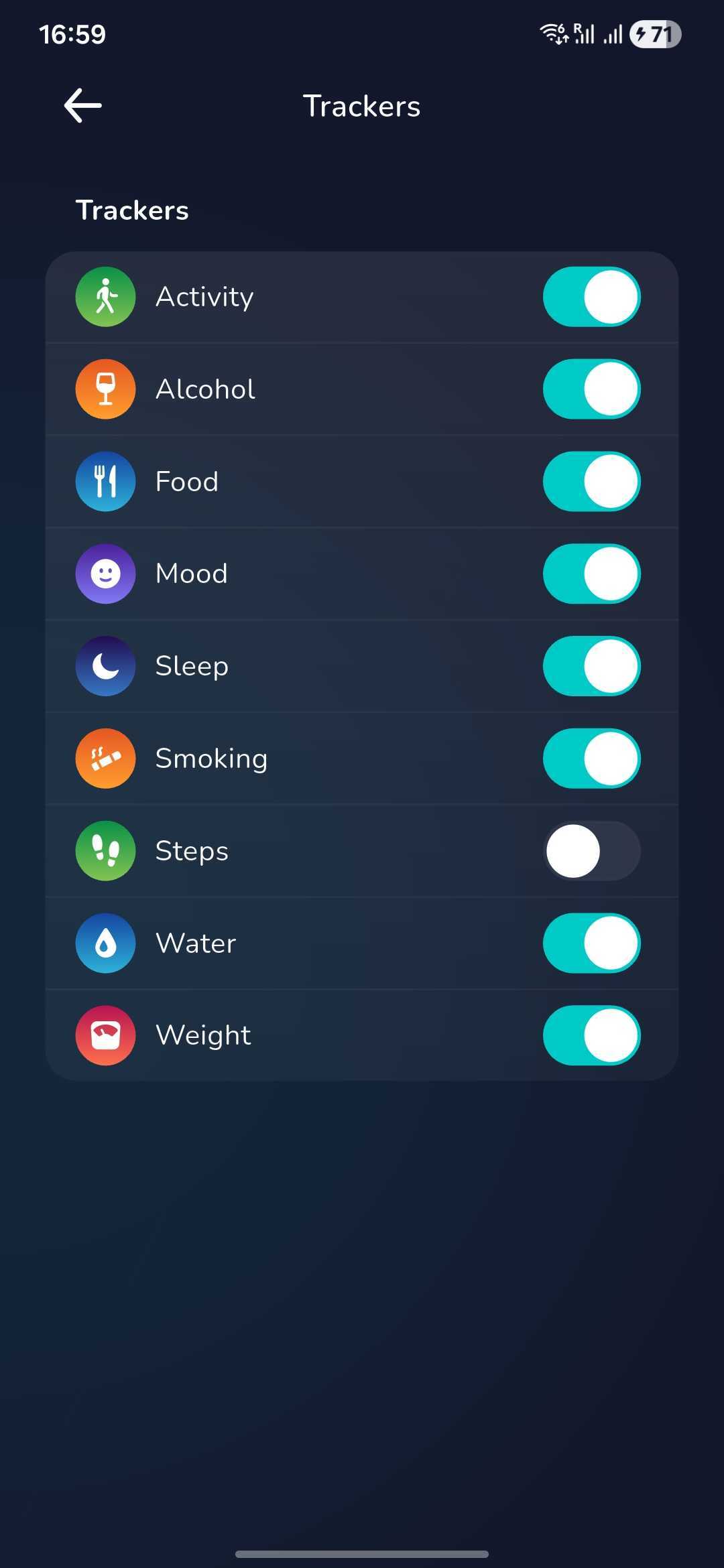
If you would like to activate the tracker again at any point, follow the above steps to find the tracker page and click the toggle to activate the tracker.
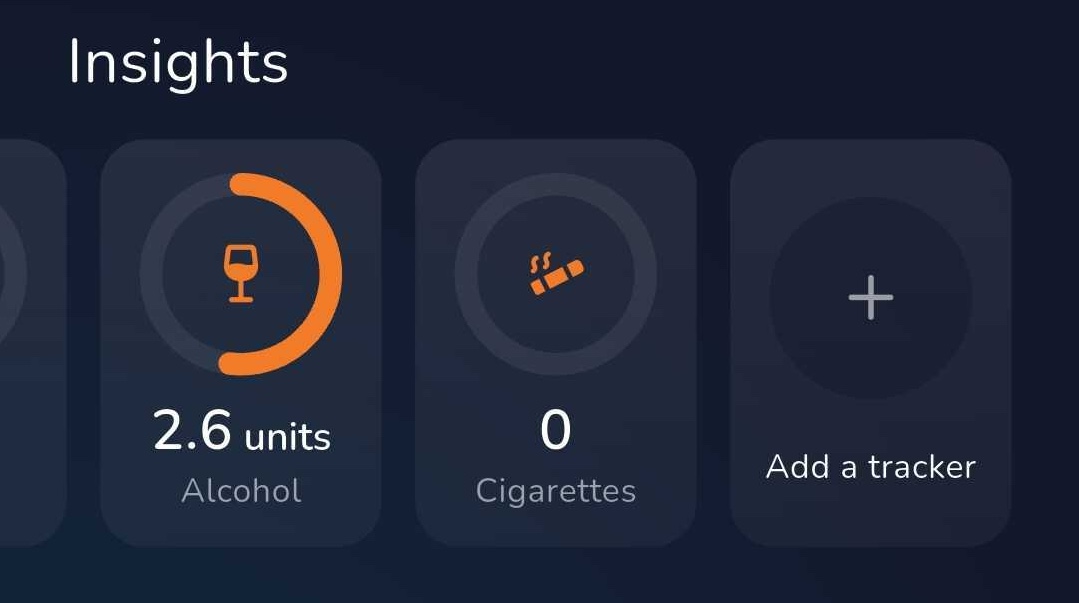
You can also activate trackers from your dashboard in the 'Insights' section
Was this article helpful?
That’s Great!
Thank you for your feedback
Sorry! We couldn't be helpful
Thank you for your feedback
Feedback sent
We appreciate your effort and will try to fix the article